Free AI Humanizer: Humanize AI Text
Turn AI-generated text from ChatGPT, Claude, Google Gemini, and more into writing that sounds natural and engaging while staying true to your original message.
Humanized text
Add your text and click Humanize to see results here
Bring AI writing to life with the industry leader in humanization
Get started with a free Grammarly account to make your writing feel authentic and in tune with your audience. Use the Humanizer agent, built by linguists and backed by over a decade of writing expertise.
Use the right tone for any situation
Choose from four preset styles to instantly adapt your text to your needs. The Humanizer agent revises AI writing so every word sounds natural and on point.
Humanizer executive voice product example
Humanizer create voice product example
Make AI writing sound unmistakably like you
Paste a writing sample to create a custom voice. The Humanizer agent learns your style and applies it to future rewrites, keeping your writing authentically yours.
Humanize in six languages
Humanize seamlessly in English, Spanish, French, German, Portuguese, and Italian. Grammarly ensures AI writing sounds natural, clear, and true to your intent across languages.
Spanish Humanizer everyday voice product example
Why use Grammarly’s AI humanizer?
When you use Grammarly, you get more than basic humanization. Here’s how we raise the bar.

Expertly engineered
Built by a world-class team of linguists and engineers to refine AI text with human-level fluency and precision.
Instant humanization
Humanizes AI-generated text in seconds, delivering natural, personal writing without the wait.
Constantly improving
Adapts as AI writing changes so your text stays clear, natural, and true to your voice.
Context aware
Understands your goals, tone, and audience to deliver rewrites that fit your intent, not generic revisions.
Trusted ecosystem
Works with Grammarly’s suite of writing tools, from proofreading to plagiarism checks to citations, so your writing stays credible.
An AI humanizer built for every kind of writing
Grammarly’s AI humanizer refines your text to sound clear, genuine, and expressive. Just be sure to follow the appropriate guidelines for acknowledging AI use in your work.
Here are a few ways our AI humanizer can help:

Research and essays
Refine AI-assisted drafts by smoothing robotic phrasing while keeping your ideas clear and academically credible.

Reports and proposals
Strengthen your professional documents with clearer, more confident wording that avoids generic or repetitive phrasing.

Marketing copy
Transform AI-generated text for blogs, social posts, and ads into engaging, authentic content that reflects your brand’s voice.

Customer support
Ensure AI-generated emails and support messages sound empathetic and genuinely human so customers feel understood.
Go beyond AI humanization with Grammarly
Unlock a full suite of tools that support clarity, credibility, and responsible writing when you sign up for Grammarly. It can help you detect AI-generated text, adjust your writing to maintain your natural voice, and cite sources correctly. Get started for free or upgrade to Grammarly Pro for the complete experience.
Bring transparency to your work
Using a mix of text sources in your writing? Grammarly Authorship shows what came from AI, what came from online sources, and what you wrote yourself, making it easy to show your work and submit with confidence.
Learn more about Authorship
Learn more about Authorship
Authentic authorship
Make it easy to disclose your AI use
Grammarly’s transparency features make it easy to acknowledge when you’ve used generative AI so you can submit assignments with integrity.

Detect AI-generated text
Use Grammarly’s AI Detector to see which parts of your writing may be flagged as AI-generated so you can rewrite or add citations.
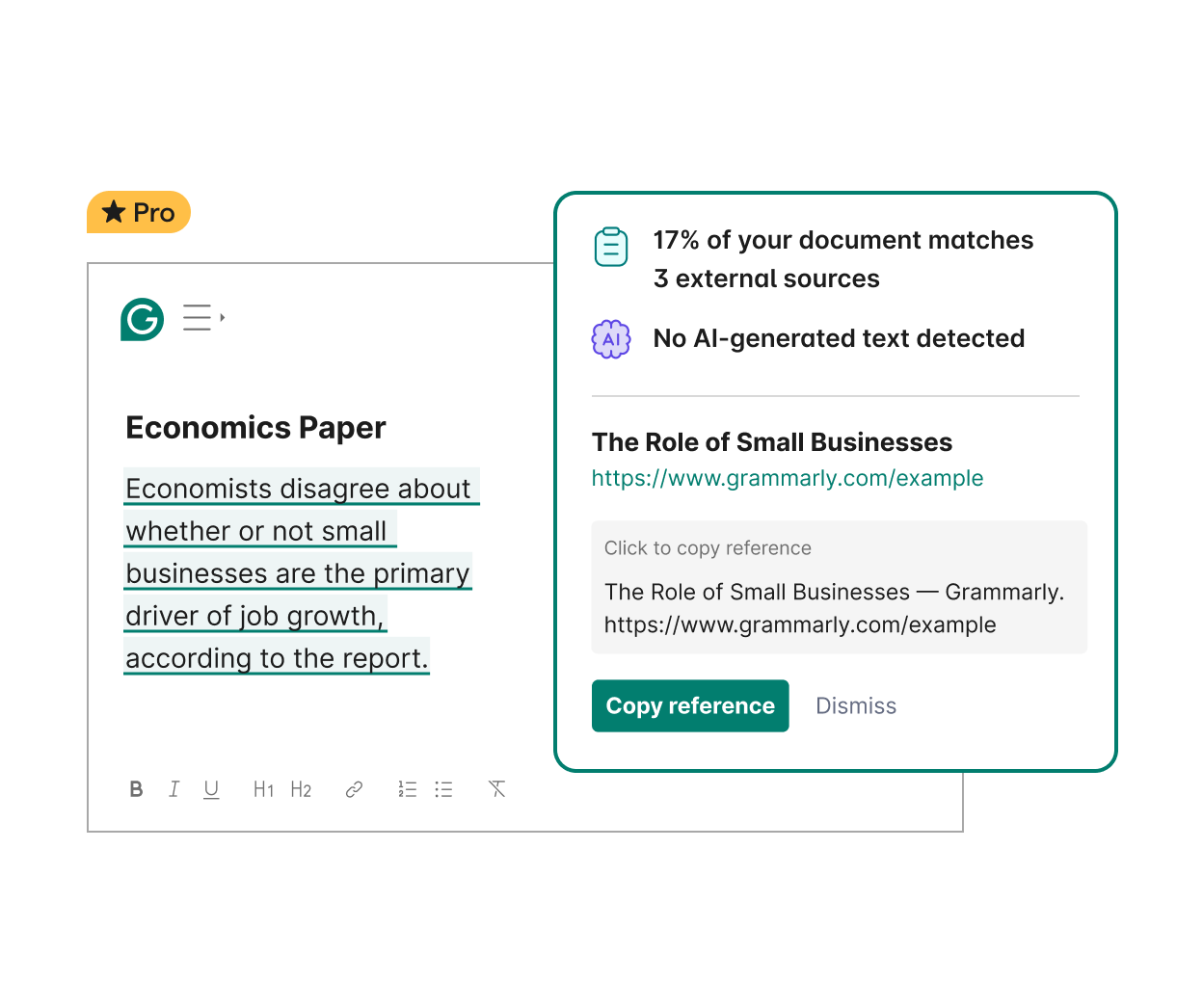
See why your writing is flagged as AI and fix it
Grammarly suggests natural in-line rewrites you can apply instantly so you can submit your work with confidence and ease.
AI Rewriter _ The Impact of Social Media on Conformity and Self-Presentation
Bring transparency to your work
Using a mix of text sources in your writing? Grammarly Authorship shows what came from AI, what came from online sources, and what you wrote yourself, making it easy to show your work and submit with confidence.
Learn more about Authorship
Learn more about Authorship
Authentic authorship
Make it easy to disclose your AI use
Grammarly’s transparency features make it easy to acknowledge when you’ve used generative AI so you can submit assignments with integrity.
Detect AI-generated text
Use Grammarly’s AI Detector to see which parts of your writing may be flagged as AI-generated so you can rewrite or add citations.
See why your writing is flagged as AI and fix it
Grammarly suggests natural in-line rewrites you can apply instantly so you can submit your work with confidence and ease.
AI Rewriter _ The Impact of Social Media on Conformity and Self-Presentation
More AI writing tools
Essential AI resources
Grammarly is committed to supporting ethical, transparent AI writing. Whether you’re curious about how AI detection works or want to learn best practices for using AI in academic or professional settings, our resources can help.


Grammarly’s writing support for every idea, draft, and project
Go, docs, and AI agents work together to support you everywhere you write and work. They bring focus, flexibility, and intelligence to every stage of your process so you can think deeply, create confidently, and communicate with impact.
AI collaborators that act on your goals
AI agents are digital collaborators that understand your objectives and take action on your behalf. They anticipate your reader’s reactions, surface relevant sources, and streamline complex writing tasks to help you achieve stronger results, faster.
Learn more about our AI agents
Learn more about our AI agents
Proofreader product example
Your all-in-one writing space
Docs is your focused space for deep thinking and seamless writing. AI Chat and specialized agents help you organize ideas, refine tone, and turn early drafts into polished work. And with sharing, commenting, and co-editing built into the writing surface, your entire writing process stays in one place.
Learn more about docs
Learn more about docs
A user using Docs to access Grammarly agents
AI that works wherever you do
Go is the AI assistant that stays with you across every app, tab, and workflow. It understands your context and offers help before you ask, so you can write, reply, brainstorm, and create with clarity and confidence. You can access Go via the Grammarly browser extensions for Chrome and Edge.
Learn more about the AI assistant
Learn more about the AI assistant

AI collaborators that act on your goals
AI agents are digital collaborators that understand your objectives and take action on your behalf. They anticipate your reader’s reactions, surface relevant sources, and streamline complex writing tasks to help you achieve stronger results, faster.
Learn more about our AI agents
Learn more about our AI agents
Proofreader product example
Your all-in-one writing space
Docs is your focused space for deep thinking and seamless writing. AI Chat and specialized agents help you organize ideas, refine tone, and turn early drafts into polished work. And with sharing, commenting, and co-editing built into the writing surface, your entire writing process stays in one place.
Learn more about docs
Learn more about docs
A user using Docs to access Grammarly agents
AI that works wherever you do
Go is the AI assistant that stays with you across every app, tab, and workflow. It understands your context and offers help before you ask, so you can write, reply, brainstorm, and create with clarity and confidence. You can access Go via the Grammarly browser extensions for Chrome and Edge.
Learn more about the AI assistant
Learn more about the AI assistant
The user can use writing suggestions to add a deadline to a Slack message being sent, the user composes a project proposal using Grammarly, User can use Grammarly to get reader reaction feedback from their manager.
Advanced AI that transforms your writing
Grammarly streamlines every step of the writing process, from brainstorming to final edits, ensuring clear, confident, and efficient communication.
Learn more about AI at Grammarly
Learn more about AI at Grammarly
See why people prefer Grammarly

of students using Grammarly report that Grammarly is an essential tool for them to do well in school.
of Grammarly users report that Grammarly gives them the confidence to write in their own voice.

of Grammarly users report feeling empowered when writing with Grammarly.

of Grammarly users report that Grammarly helps them create more persuasive and convincing writing.
Frequently asked questions
What is an AI humanizer?
An AI humanizer is a tool that rewrites AI-generated text, like content from Grammarly, ChatGPT, Gemini, or Claude, to improve clarity, flow, and readability. It helps make any type of writing (human- or AI-generated) sound more natural and engaging, without changing what you meant to say.
While an AI humanizer can be a helpful tool to make any writing sound more natural, keep in mind that the use of AI humanizers can be frowned upon in certain contexts. We suggest using Grammarly’s AI humanizer alongside Grammarly’s suite of transparency features in scenarios where it’s important to demonstrate the source of your text and how it was changed.
While an AI humanizer can be a helpful tool to make any writing sound more natural, keep in mind that the use of AI humanizers can be frowned upon in certain contexts. We suggest using Grammarly’s AI humanizer alongside Grammarly’s suite of transparency features in scenarios where it’s important to demonstrate the source of your text and how it was changed.
How does Grammarly’s AI humanizer work?
Grammarly’s AI humanizer uses advanced AI (Natural Language Processing) to analyze text and rewrite it in a human-like way without changing the original meaning.
The process typically works as follows:
The process typically works as follows:
- Input your text: You paste your AI-generated text into the tool.
- AI analysis: The humanizer scans the writing for AI-specific patterns (e.g., overly formal tone or repetitive phrasing).
- Rewriting: It rephrases sentences and adjusts wording and tone to make your writing sound more natural and fluent.
- Output: You receive an updated version of the text that reads as if a human wrote it, with the original meaning preserved.
How do you use Grammarly’s AI humanizer?
It’s easy to use Grammarly’s free AI humanizer:
When you sign up for Grammarly, you get access to the Humanizer agent, which offers advanced humanizing features. You can choose from four distinct, engaging voices or upload samples to create your own unique voice, all without disrupting your writing flow.
- Paste your text or upload a document into the tool at the top of this page.
- Click “Humanize”
- Receive rephrased text in seconds that eliminates stiff, awkward phrasing and replaces it with clear, natural-sounding writing that preserves your meaning.
When you sign up for Grammarly, you get access to the Humanizer agent, which offers advanced humanizing features. You can choose from four distinct, engaging voices or upload samples to create your own unique voice, all without disrupting your writing flow.
Is Grammarly’s AI humanizer free to use?
Yes. The AI humanizer tool on this page is free to use and offers basic humanization for your text. When you sign up for a free Grammarly account, you also get access to the Humanizer agent, which lets you choose from four distinct, engaging voices, create a custom voice profile, and humanize writing in six languages. Upgrade to Grammarly Pro to unlock the full Humanizer experience along with Grammarly’s complete suite of advanced writing features.
Will Grammarly’s AI humanizer help me bypass AI detectors?
AI-generated content often follows recognizable patterns. Grammarly’s AI humanizer refines text to make it sound more natural and engaging while preserving accuracy.
This tool is not intended to bypass AI detectors. Instead, it enhances clarity and coherence, helping AI-assisted writing feel more polished and readable. Grammarly encourages transparent and responsible AI use, including clearly acknowledging AI assistance in academic or professional work.
This tool is not intended to bypass AI detectors. Instead, it enhances clarity and coherence, helping AI-assisted writing feel more polished and readable. Grammarly encourages transparent and responsible AI use, including clearly acknowledging AI assistance in academic or professional work.
Is using an AI humanizer cheating or plagiarism?
It depends on the context of your writing task. In many professional settings, using AI tools to draft or polish content is appropriate—and increasingly common. Tools like Grammarly’s AI humanizer can help refine AI-generated text so it’s clearer, more natural, and easier to read.
However, in academic settings or any context where AI use is restricted or must be disclosed, using an AI humanizer to disguise the use of AI may be considered unethical and could constitute cheating or plagiarism. Grammarly encourages transparency and integrity in all forms of communication, and we recommend citing AI when in doubt.
To help support responsible writing practices, Grammarly includes features that promote academic and professional integrity, such as:
However, in academic settings or any context where AI use is restricted or must be disclosed, using an AI humanizer to disguise the use of AI may be considered unethical and could constitute cheating or plagiarism. Grammarly encourages transparency and integrity in all forms of communication, and we recommend citing AI when in doubt.
To help support responsible writing practices, Grammarly includes features that promote academic and professional integrity, such as:
- Citations – To properly attribute sources and disclose any AI assistance.
- Authorship support – To help you and your audience clearly see where your words originated.
- Plagiarism and AI detection – To check your content for potential plagiarism and AI-generated text, so you can feel confident you’re submitting original work.
Who would benefit from using an AI humanizer?
AI humanizers are helpful for anyone who wants to rephrase AI-generated text into clear, compelling writing. They are useful for:
- Professionals: Polish AI-generated reports, emails, and business documents so they sound clear, confident, and professional.
- Marketers: Fine-tune AI-generated ad copy, social posts, and campaign materials to better resonate with your audience.
- Students: Refine AI-assisted writing for essays and assignments to improve clarity and flow. Just be sure to cite AI use responsibly and (if applicable) follow your school’s policies.
- Educators: Edit AI-generated lesson plans, rubrics, or summaries to ensure clarity, appropriate tone, and classroom readiness. Pair this with our Authorship features to show your students how you leveraged AI and increase classroom transparency.
- Customer support teams: Humanize AI-written responses to ensure they’re clear, helpful, and conversational.
- Writers and authors: Use AI to support your drafting process, then humanize the output to make it sound more natural and aligned with your style.
Are AI humanizers detectable?
If you’re using AI in your writing process, the goal shouldn’t be to hide it but to make sure the final result reflects your own thinking and voice. While a humanizer can help you get started, be sure to rephrase AI output in your own words and adjust the tone to match your natural style. Additionally, Grammarly’s features are designed to support transparency and responsible AI use so you can focus on creating content that reflects your own thinking and voice.
Here’s how Grammarly supports you:
- AI detection lets you check how your writing sounds and see where you might want to add more of your personal voice.
- Plagiarism detection compares your work against online sources to make sure your writing is original and properly attributed.
- Citations help you easily and clearly acknowledge your sources, whether you’re referencing AI tools, websites, or other materials, making it easier to maintain transparency and meet academic or professional standards.
- Grammarly Authorship tracks how your text was created, giving you a clear record of how your work came together. This can be useful for proving originality and navigating questions about how your writing was developed.
Make great writing simple
Join over 40 million people who use Grammarly to transform their writing every day.